
Connecting Your Account to Moodle
This article walks through connecting your Moodle account to your PaperScorer account so you can import your classes and sync grades. It also covers the most common connection issue.
Enterprise feature. Moodle integration is available to enterprise PaperScorer customers.
NOTE: Your Moodle administrator must complete the initial Moodle-side setup before you can connect. If your school’s Moodle site isn’t listed when you try to connect, contact your administrator. Administrators can follow the Moodle Administration Guide.
Starting the connection
-
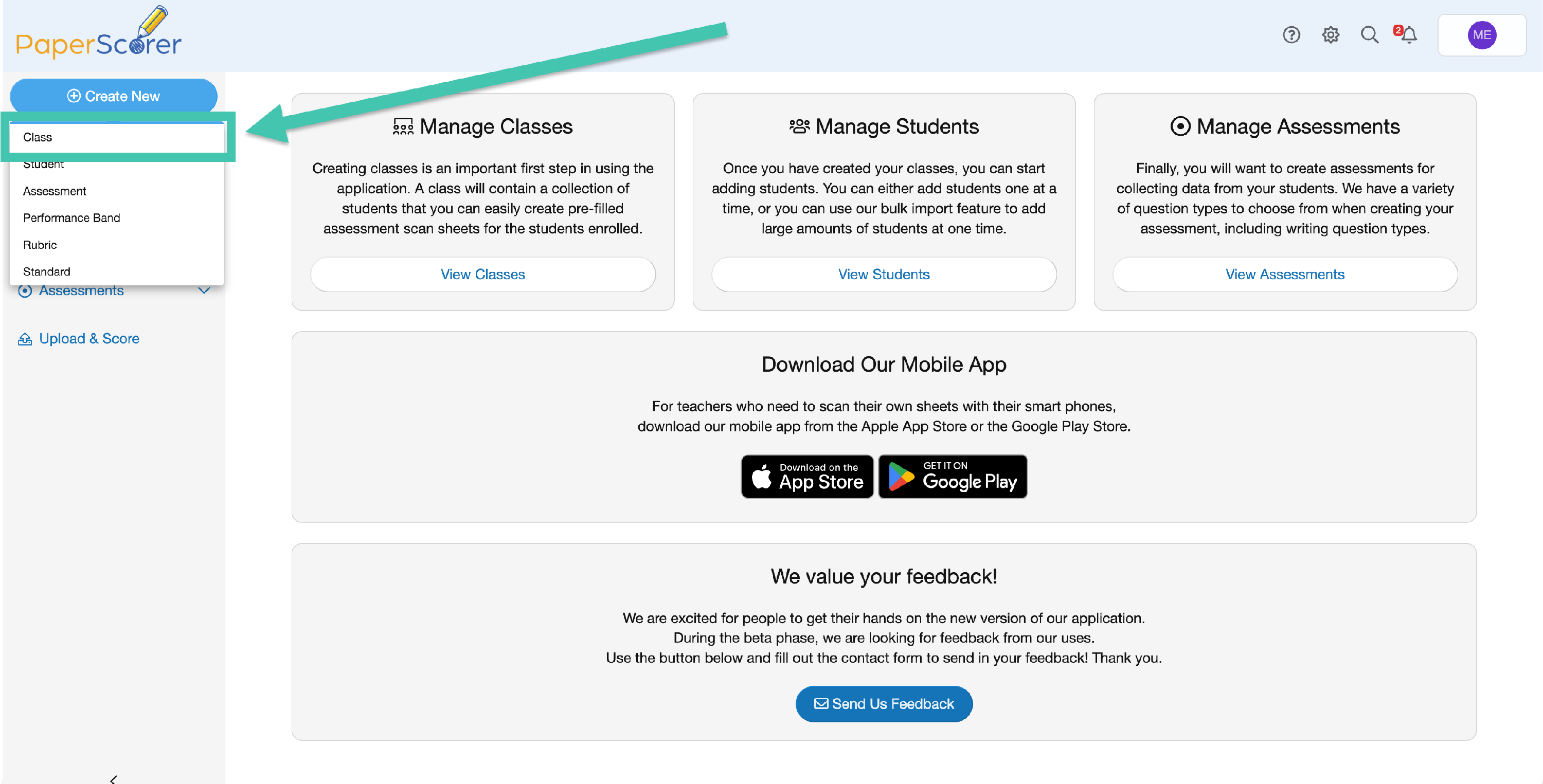
In the PaperScorer web app, click the create button and choose Class.
-
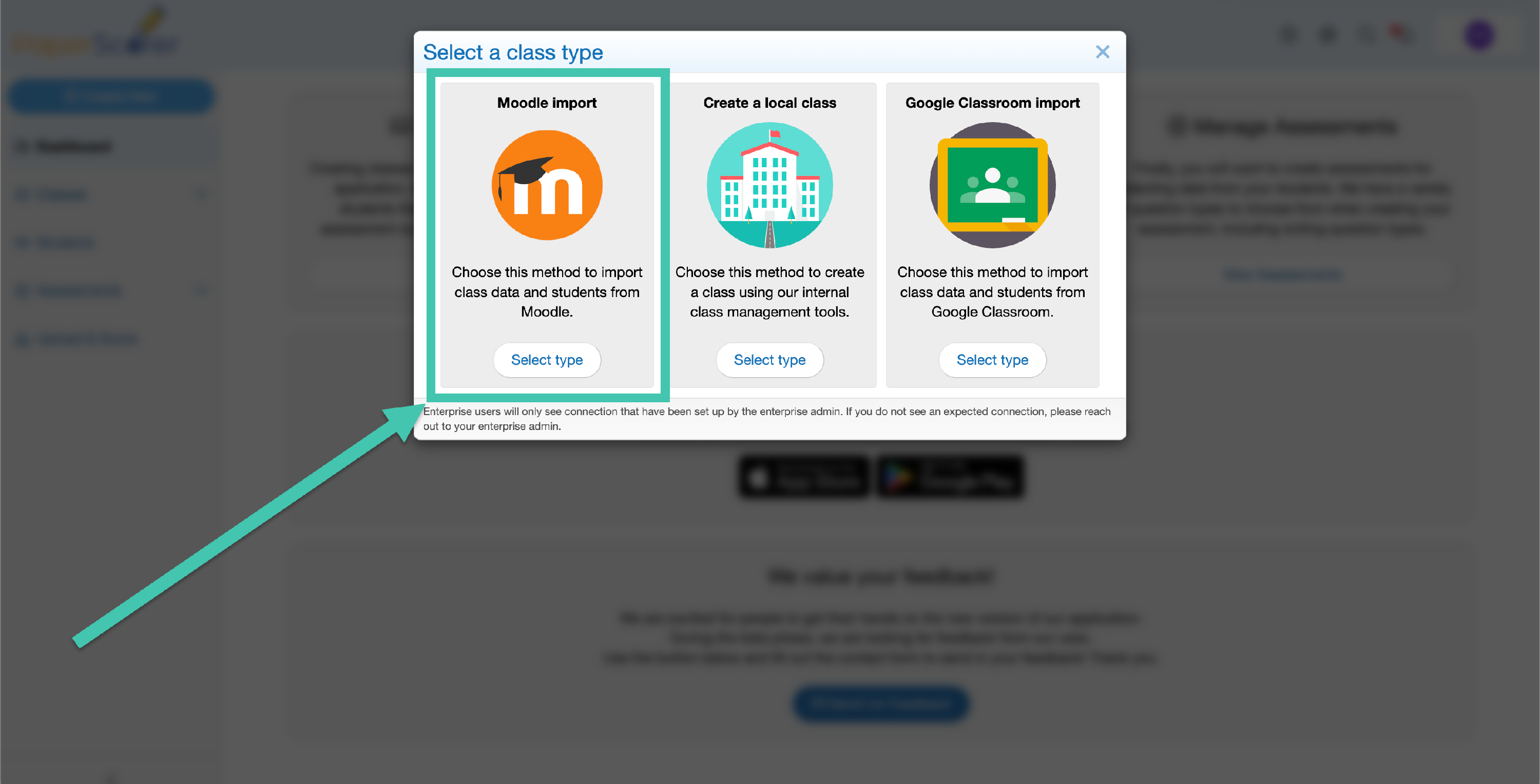
Choose Moodle.
-
Select your school’s Moodle site from the list and click Continue.
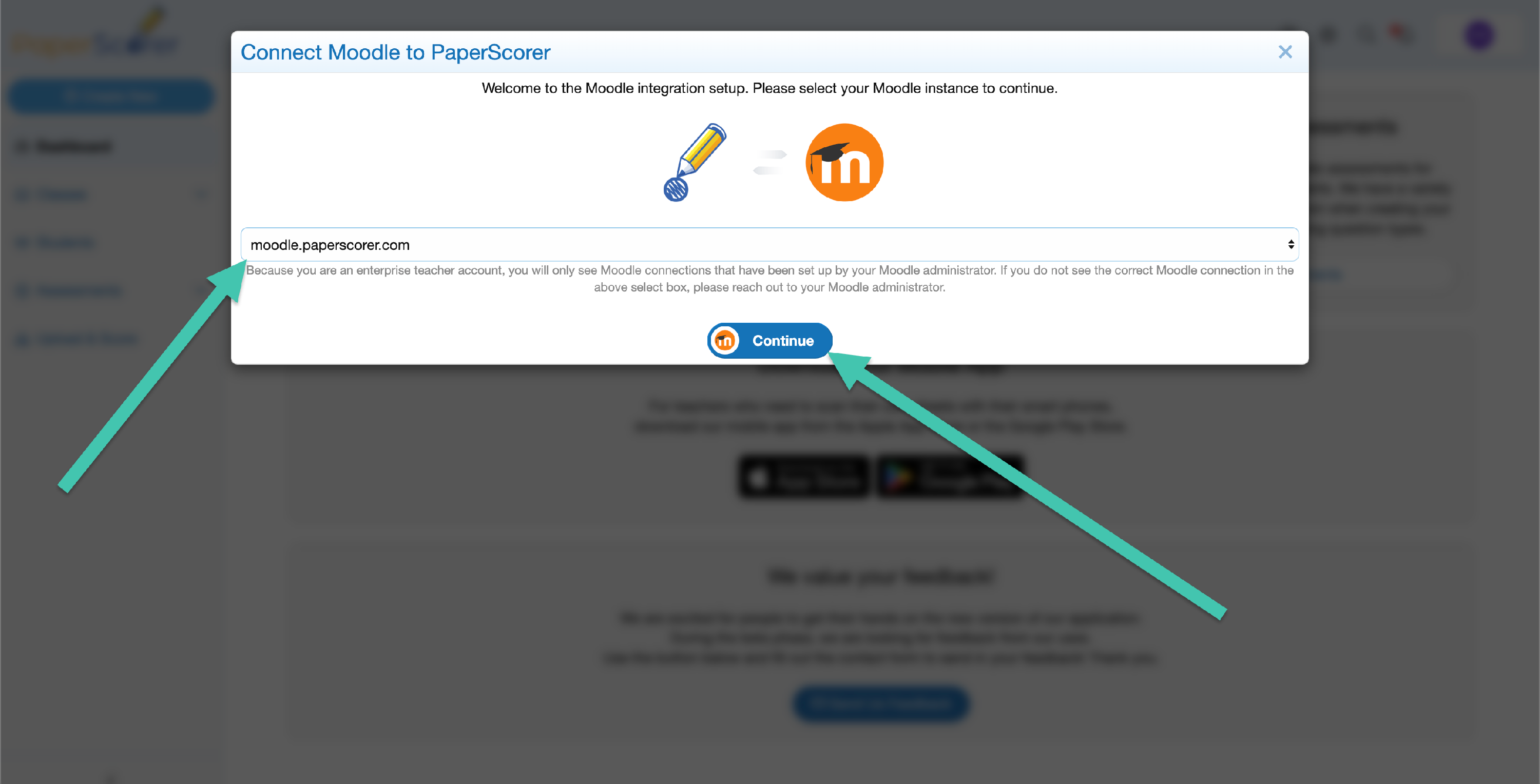
- PaperScorer looks up your Moodle account using your email address and shows a confirmation.
-
Confirm to finish connecting.
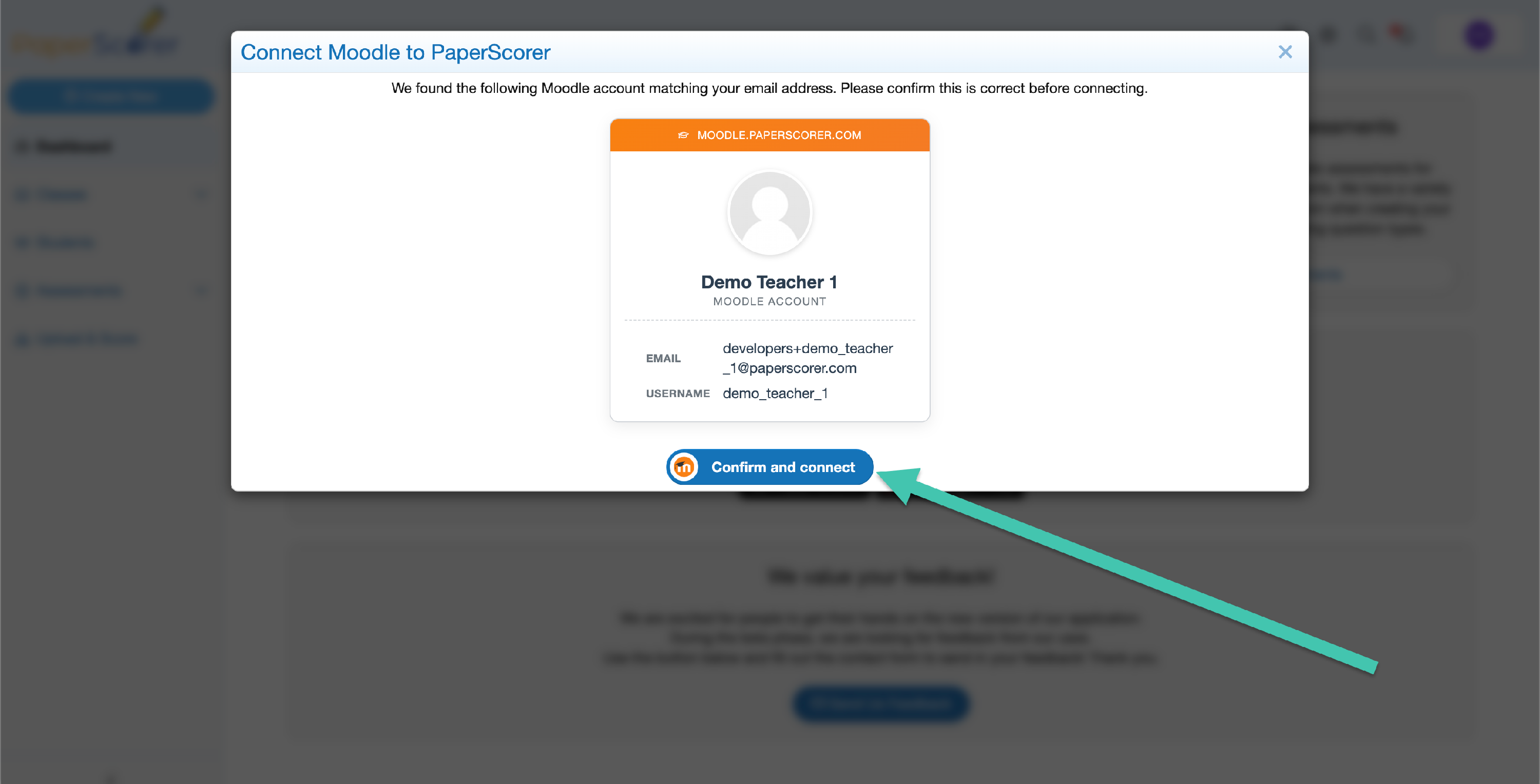
Unlike some integrations, you do not sign in to Moodle here — PaperScorer matches you to your Moodle account through the connection your administrator set up.
NOTE: PaperScorer matches you to Moodle by email, so the email on your PaperScorer account must match the email on your Moodle account. If they differ, PaperScorer can’t find your Moodle account.
What you can do next
Once your account is connected, you can import your Moodle classes and rosters into PaperScorer and sync assessment grades back to Moodle.
Troubleshooting
- Your school’s Moodle site isn’t listed. Your administrator hasn’t finished the Moodle-side setup yet, or your account isn’t part of an enterprise that has a Moodle connection. Contact your administrator.
- PaperScorer can’t find your Moodle account. This almost always means the email on your PaperScorer account doesn’t match the email on your Moodle account. Confirm the two match first. If they already match and it still fails, contact your administrator — their Moodle service account may be missing a permission.
If you are still stuck after checking these, contact our support team.