
Disconnecting Your Moodle Account
Enterprise feature. Moodle integration is available to enterprise PaperScorer customers.
This article covers how to disconnect your Moodle account from PaperScorer, and answers common questions about what happens when you do.
How to disconnect
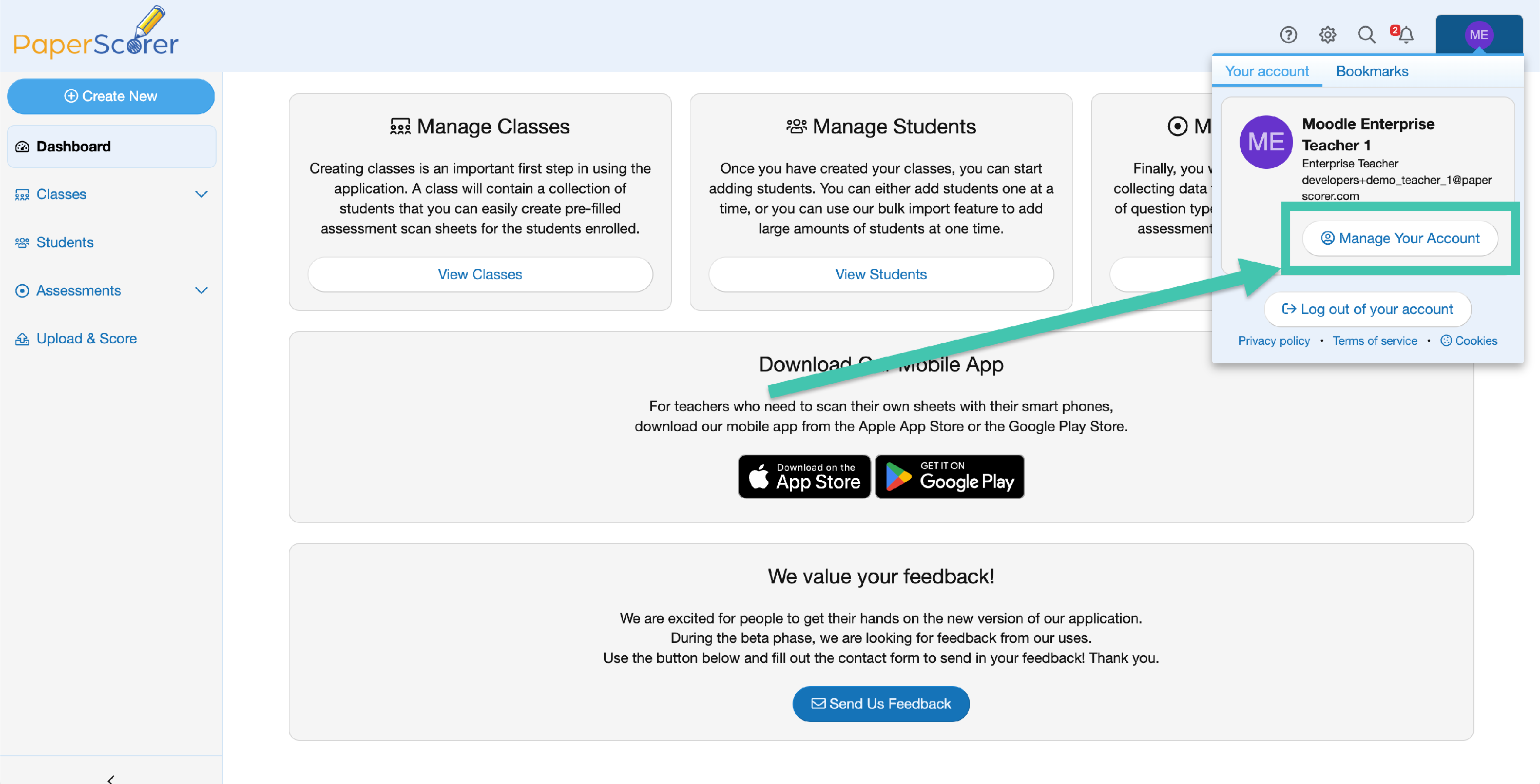
- Click your profile image in the top corner of PaperScorer and choose Manage Your Account.
-
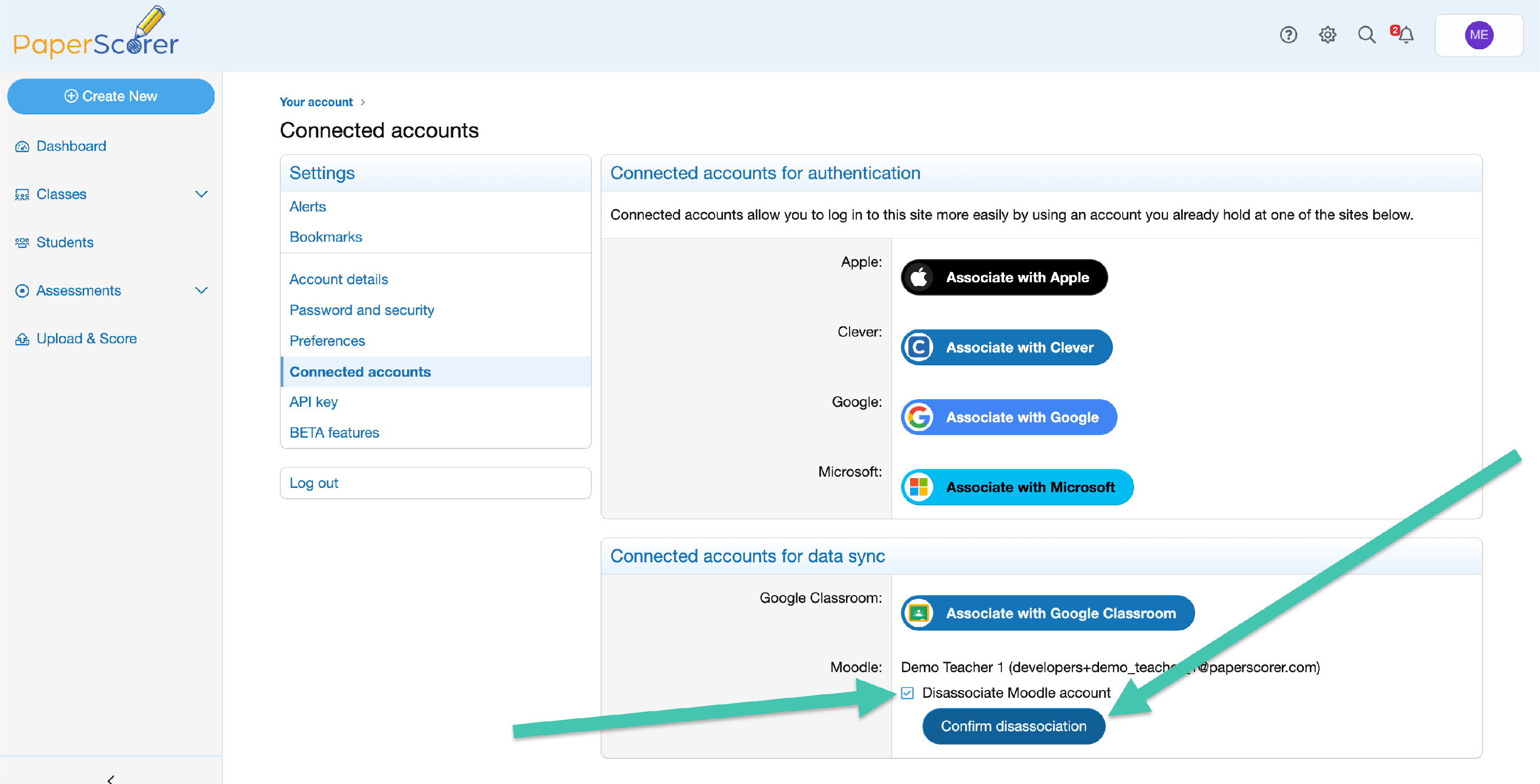
Select Connected accounts in the left navigation.
- Find your Moodle connection in the list and check the box confirming you wish to disconnect it.
-
Click Confirm disassociation.
What disconnecting does (and doesn’t do)
- Your classes and students stay in PaperScorer. Anything you imported from Moodle remains in your PaperScorer account.
- Grades already synced to Moodle stay in Moodle. Disconnecting does not remove or change grades you have already sent.
- The link between your PaperScorer account and your Moodle account is removed. PaperScorer can no longer sync new grades to Moodle on your behalf until you reconnect.
- Your school’s Moodle connection is not affected. Only your personal association is removed. The institution-wide connection set up by your administrator stays in place, and other teachers at your school are unaffected.
NOTE: Unlike some integrations, Moodle syncing runs through the connection your administrator set up rather than a personal sign-in, so there is no separate Moodle login to revoke. Disconnecting simply tells PaperScorer to stop associating your account with your Moodle user.
Frequently asked questions
Will my classes and students be deleted?
No. Your classes and students remain in PaperScorer after you disconnect.
Will grades I already synced to Moodle be removed?
No. Any grades already in Moodle stay there. Disconnecting only stops future syncing.
Can I reconnect later?
Yes. You can reconnect at any time by following Connecting Your Account to Moodle. The same email match applies, so make sure your PaperScorer email matches the Moodle account you want to connect.
I connected the wrong Moodle account — how do I fix it?
Disconnect here, then reconnect and confirm the matched account is the correct one. If the wrong account keeps matching, check that your PaperScorer email matches the Moodle account you intend to use, or contact your administrator.
Does this disconnect Moodle for everyone at my school?
No. This only removes your personal association. Your school’s Moodle connection is managed by your administrator.
If you have any other questions, contact our support team.